
Delta by eToro
Delta by eToroFinance
4.12.02K Reviews
- Version
- 2026.1.1
- Installs
- 1.00M
- Age Rating
- Everyone
Screenshots
Our Review of Delta by eToro
 Analysis by Appyee
I tend to judge a finance app by what it helps me keep track of, how much effort it demands, and whether its price makes sense for the job. Delta by eToro is an investing companion rather than a place I’d go to make every financial decision: its appeal is bringing a mixed set of holdings into view so I can review them together. That distinction matters. A tracker can make scattered information easier to understand, but it is not automatically a broker, a financial adviser, or a substitute for checking the details of an investment before acting.
There is no upfront charge to try it: Delta is free to download, while in-app purchases are offered at prices ranging from $6.99 to $107.99 per item. I see that as a useful starting point, not proof that every feature someone might want is free. If you are considering a paid option, first work out whether it solves a problem you actually have; a casual user may be perfectly satisfied with a basic overview, while someone managing many holdings may care more about the extra depth. The important question is not simply whether the app costs money, but whether its paid value fits your own routine.
What the free starting point is good for
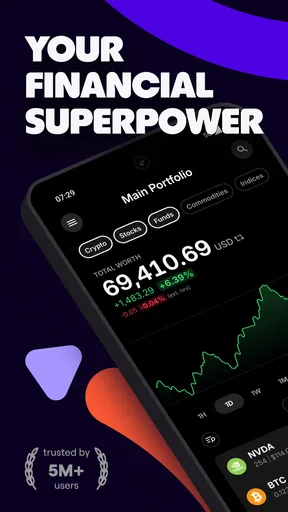
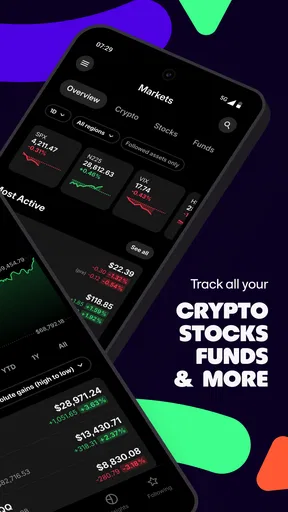
As a finance app from Delta by eToro, it is designed around following investments such as stocks, dividends, crypto, ETFs and gold. That range is the clearest reason I’d try it: rather than checking separate apps just to see what is happening in different parts of a portfolio, I can use one place as a monitoring hub. The app has a 4.1 average from around 31,000 ratings, and more than a million installs, which suggests that plenty of people have found the category useful. Those figures don’t tell me whether it fits my needs, but they do give a reader some context for considering it.
Delta is free to install and is rated for everyone, so there is no purchase decision to make before exploring its basic approach. It has been available since September 2017 and its current version is 2026.1.0, with Android 7.0 as the minimum operating system. I would still think of it as an investment-tracking tool, not a promise of returns: seeing a portfolio move is not the same as knowing what to buy or sell. That boundary is worth keeping in mind, especially if you are new to investing.
Getting Started with Delta by eToro
First things first, let's talk about setting up Delta by eToro. The app is available on both Android and iOS, and getting it up and running is as easy as pie. Just head over to your app store, download it, and you're good to go. The interface is sleek and intuitive, so even if you're not a tech wizard, you'll feel right at home.
Once you've got the app open, you'll need to create an account or log in if you're already part of the eToro family. The sign-up process is straightforward and quick, which is always a plus in my book. No one likes jumping through hoops, right?
Features That Stand Out
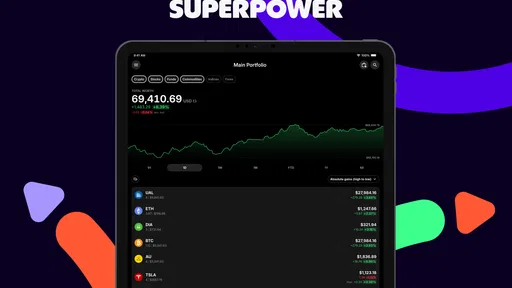
Now, let's get into the nitty-gritty. One of the standout features of Delta is its comprehensive portfolio tracking. You can easily add all your investments and monitor them in real-time. Whether you're into stocks, crypto, or even precious metals, Delta has got you covered.
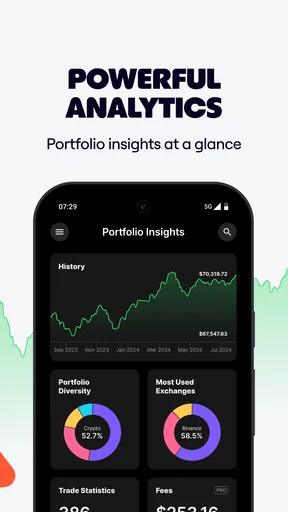
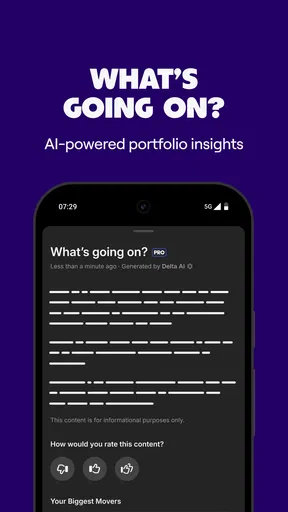
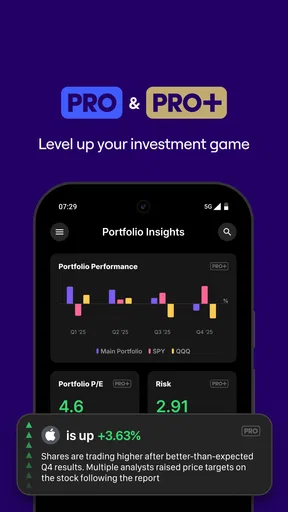
And can we talk about the insights and analytics? They're nothing short of impressive. The app provides detailed analytics that give you a deeper understanding of your investment performance. It's like having a personal financial advisor in your pocket.
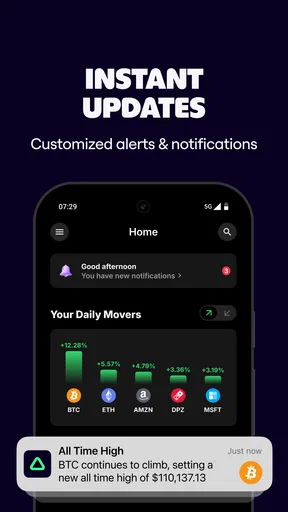
Another feature I love is the news and alerts section. Staying updated on market trends and news is crucial, and Delta delivers this seamlessly. You can customize alerts based on your preferences, ensuring you never miss out on important updates.
User Experience That Delivers
One thing I always look for in an app is the overall user experience, and Delta doesn't disappoint. The design is not only aesthetically pleasing but also highly functional. Navigating through the app is a breeze, and everything is neatly organized for easy access.
Plus, the app supports multiple languages, which is a huge bonus for those who prefer using apps in their native tongue. It shows that eToro is committed to making Delta accessible to a global audience.
Integration and Compatibility
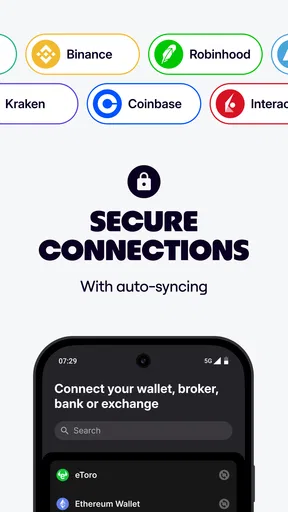
Another feather in Delta's cap is its seamless integration with other platforms. You can easily sync your data across devices, ensuring you have access to your portfolio no matter where you are. The app also supports multiple exchanges, which is perfect for those who like to diversify their investments.
And here's something cool: Delta offers a desktop version as well. For those of us who like managing our investments on a larger screen, this is a game-changer. It syncs perfectly with the mobile app, so you won't miss a beat.
Making a tracker useful without overchecking
The best way I’ve found to get value from a portfolio tracker is to decide what I want to learn before opening it. For example, I might check whether a holding has moved enough to merit a closer look, or compare how different parts of my portfolio are behaving. That is more useful than refreshing prices throughout the day. Alerts can support this habit, but I’d keep them selective: too many notifications can turn a calm overview into another source of noise.
A practical routine is to review the portfolio at a regular time, then use the app’s breakdowns to ask a specific question: is a change coming from one asset, or does it affect several holdings? If I’m tracking dividends as well as prices, I’d treat those as separate parts of the picture rather than assuming one headline performance figure tells the whole story. The useful insight is often in how the pieces behave together, not in reacting to every daily fluctuation.
For a mixed portfolio, I’d also be careful when entering or organizing holdings. Consistent names and categories make later comparisons easier; messy records can make a polished chart misleading. I’d take a moment to check that each position is represented the way I intend before relying on summaries. This is a small setup trade-off: a little care at the start can make subsequent reviews more meaningful, while a tracker cannot correct information that was entered incorrectly.
Where it sits beside other finance tools
Compared with checking each broker or exchange separately, Delta’s main appeal is the possibility of seeing different investment types in one tracking workflow. That is especially handy if your holdings are spread across services, or if you want to keep an eye on assets that you do not actively trade every day. A broker’s own app, on the other hand, is usually the more natural place to place orders or review account-specific transaction details. I would use the tracker for perspective and the relevant provider for decisions and records tied to an account.
A spreadsheet can be a better fit for someone who wants complete control over custom categories, formulas, and manual assumptions. It also takes more upkeep, and it will not feel as immediate as opening an app to scan a portfolio. A simple watchlist is enough if all you want is to follow a few prices without recording your own holdings. Delta makes more sense when the goal is broader portfolio visibility; it is overkill if you only need occasional market quotes.
One useful distinction is between tracking and custody. I would not assume that adding an asset to a portfolio means the app holds it, connects to every account, or verifies every detail on my behalf. Before relying on any displayed total, I’d check how that information was added and whether it reflects the latest activity I care about. Keeping that mental separation prevents a convenient overview from being mistaken for an authoritative account statement.
A realistic day-to-day use
Imagine I have a quiet moment after work and want to check whether my investments still match the plan I set for myself. I open Delta, scan the categories I follow, and notice that a change in the overall picture seems concentrated in one area. Rather than making a rushed trade, I use that observation as a prompt to look more closely at the relevant holding and confirm details through the service where it is managed. The app earns its place in this scenario by helping me decide what deserves attention, not by deciding what action I should take.
That distinction is why I’d recommend a measured routine: use the overview to spot questions, then verify before acting. If a sudden move would make you anxious, frequent alerts may not be helpful even when they are customizable. I’d start with only the updates that support a genuine decision or review, and adjust after I know which notifications are useful. A finance app should make my attention more deliberate, not make me feel that I need to watch every market tick.
Who is likely to get the most from it?
I think Delta is most useful for people who already have investments in more than one category and want a consolidated way to follow them. It can also suit a newer investor who wants to build a habit of reviewing holdings, provided they understand that an analytics screen is a learning aid rather than personal financial advice. The benefit grows when I have a clear reason to track several kinds of assets; without that, the breadth may simply add screens I rarely use.
I’d be less inclined to recommend it to someone who wants a place to execute every trade, manage a bank budget, or receive a definitive recommendation about what to buy. Those are different jobs. If your priority is order placement, choose the relevant brokerage app; if it is day-to-day spending, a budgeting tool is more suitable; if you only want a small watchlist, a lightweight market app may be simpler. Choosing the right tool is more important than choosing the one with the longest feature list.
There is also a difference between an app being easy to navigate and every part of investing being easy. A clean presentation can lower the effort of checking a portfolio, but it cannot remove market risk or the need to understand what you own. I would not use attractive charts as a reason to increase risk, and I would not treat a short-term gain as evidence that a strategy is sound. The app is most helpful when it supports a process I already understand.
Questions I would settle before relying on it
Can I use it without paying? Yes, it is free to download, and in-app purchases are available. I’d explore the free experience first and only consider a purchase after identifying a particular limitation I want to solve. The listed purchase range runs from $6.99 to $107.99 per item, but that range alone does not tell me which option is worthwhile for my use. I would check the offer shown in the app and compare it with how often I expect to use the added value before spending.
Will it replace my broker? I would not treat it as a replacement for the service that holds or trades my investments. Its role is to help me follow a portfolio; for transaction actions, account-specific statements, and final confirmation of activity, I’d use the relevant provider. This two-tool approach may feel less tidy than one app for everything, but it keeps tracking and execution clear in my mind.
Is it useful if I’m new to investing? It can help a beginner see holdings in one place and form a regular review habit, but it does not remove the need to learn basic risks and terminology. I’d start with a small number of things I understand, keep alerts restrained, and use analytics to ask questions rather than to chase performance. If you want someone to tell you exactly what to buy, this is not the right kind of app to rely on.
Can I trust the overview without checking anything else? I’d use it as a convenient summary, then verify important details against the source that manages each holding, especially before making a decision. That is sensible for any portfolio tracker: a single dashboard is valuable because it simplifies monitoring, but simplicity is not the same as a complete record of every account event. The habit of checking the original source is a small step that protects against acting on a misunderstanding.
Final Thoughts
In a nutshell, Delta is a powerhouse of an app. Whether you're a beginner just dipping your toes into the investment world or a seasoned pro, this app has something for everyone. Its user-friendly interface, coupled with robust features, makes it a must-have tool for managing your investments.
If you're ready to take control of your financial future, I highly recommend giving Delta a try. It's like having a personal finance assistant that's always by your side, helping you make informed decisions every step of the way.
So, what are you waiting for? Give it a whirl, and let me know what you think! Happy investing!
My buy-or-skip take
My verdict is to try it if your main need is a convenient view of investments across different asset types, and to skip it if you expect a tracker to trade for you, manage your household budget, or tell you what to buy. The free download makes testing the fit straightforward, while paid value depends on whether a specific in-app purchase answers a real need in your own routine.
Overall, I’d keep Delta as a monitoring companion and pair it with the broker or exchange that handles the underlying activity. That gives me the practical benefit of a wider portfolio view without confusing a dashboard for financial advice. If you approach it with that boundary in mind, it can be a useful part of an investing routine; if you only need a few prices or want an all-in-one financial service, another tool may suit you better.
Verdict
Strengths of Delta by eToro
- User-friendly interface for easy navigation.
- Comprehensive financial news and updates.
- Customizable portfolio tracking features.
- Real-time alerts for market changes.
- Supports a wide range of cryptocurrencies.
Limitations of Delta by eToro
- Limited stock market analysis tools.
- Premium features require a subscription.
- Occasional syncing issues with accounts.
- Some advanced tools are not intuitive.
- Limited customer support response time.
Similar Picks in This Category
View All
Google Wallet
Google LLC4.3

Airtel: Recharge, Bank & Loans
Airtel4.0

PayPal - Pay, Send, Save
PayPal Mobile4.2

DANA Indonesia Digital Wallet
PT Espay Debit Indonesia Koe4.5

Binance: Buy Bitcoin & Crypto
Binance Inc.4.8

Cash App
Block, Inc.4.7
Frequently Asked Questions
What is Delta by eToro and how does it work?
Delta by eToro is a comprehensive portfolio tracking app that allows users to manage and track their investments across various platforms. It provides real-time updates, detailed analytics, and insights into your investment performance. Users can connect their accounts securely and receive notifications about market changes and portfolio updates.
Is Delta by eToro free to use, and are there any in-app purchases?
Delta by eToro offers a free version with a range of features suitable for most users. However, for more advanced tools and analytics, there is a Pro version available through in-app purchases. The Pro version includes additional insights, unlimited connections, and priority customer support, enhancing the investment tracking experience.
How secure is my data with Delta by eToro?
Security is a top priority for Delta by eToro. The app uses advanced encryption to protect user data and ensure that all information remains confidential. It does not store or access your credentials, and connections to your investment accounts are read-only, ensuring that no unauthorized transactions can occur.
Can I track multiple types of investments with Delta by eToro?
Yes, Delta by eToro supports a wide range of investment types, including stocks, cryptocurrencies, ETFs, and more. Users can integrate multiple accounts from different platforms, providing a holistic view of their investment portfolio in one place. This flexibility makes it suitable for investors with diverse asset classes.
What devices and operating systems are compatible with Delta by eToro?
Delta by eToro is compatible with both Android and iOS devices. The app is regularly updated to ensure compatibility with the latest operating systems. Users can download the app from Google Play Store or the Apple App Store, ensuring a seamless experience across different devices.
